Claude Code 2026 W13 主要解决权限确认太频繁、Windows 运行工具受限、PR 需要反复盯 CI、以及在长会话里找历史命令不方便的问题。对应功能分别是 Auto mode、Computer use、PR auto-fix、transcript search 和 PowerShell tool;其中 Auto mode 可在 ~/.claude/settings.json 里把 permissions.defaultMode 设为 auto,PowerShell tool 需要在 .claude/settings.json 里设置 CLAUDE_CODE_USE_POWERSHELL_TOOL=1。
Claude Code 2026 W13 更新:Auto mode、PowerShell、PR 自动修复
2026 年第 13 周更新
Auto mode for hands-off permissions, computer use built in, PR auto-fix in the cloud, transcript search, and a PowerShell tool for Windows.
Auto mode
Auto mode 会把权限提示交给分类器判断。安全的编辑和命令会直接运行,不会打断你;危险或可疑的操作会被阻止并显示出来。它介于逐个批准文件写入和使用 --dangerously-skip-permissions 之间。
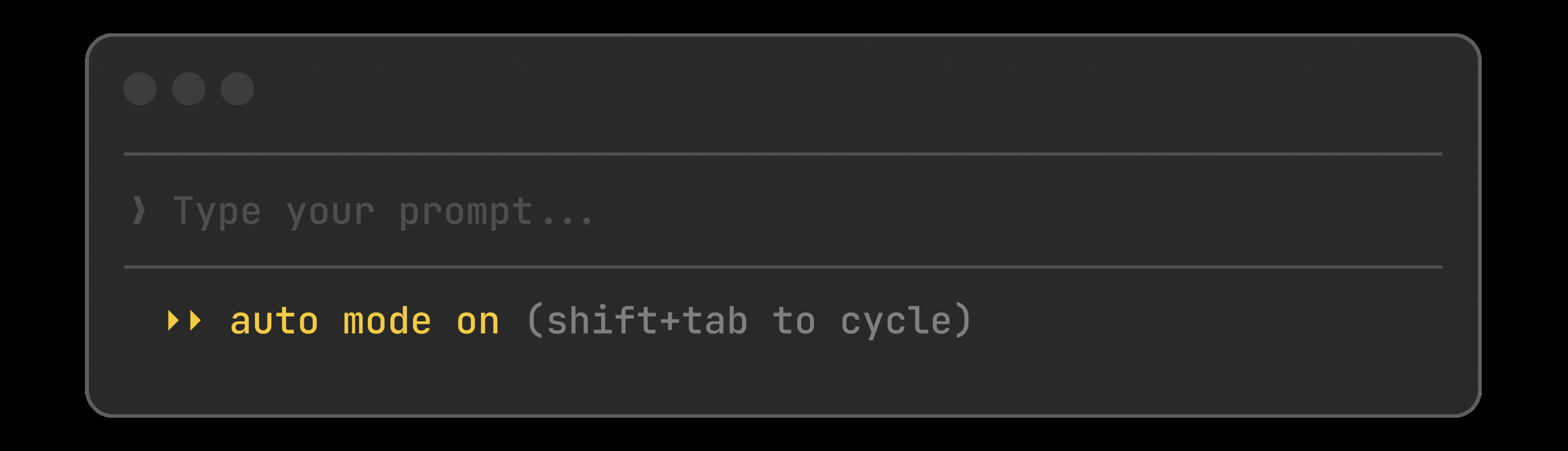
按 Shift+Tab 切换到 auto,或把它设为默认模式:
{
  "permissions": {
    "defaultMode": "auto"
  }
}Auto mode 怎么配置
Auto mode 是一个 research preview,适合想减少确认次数、又不想直接关闭权限保护的场景。
在 ~/.claude/settings.json 里设置 permissions.defaultMode 为 "auto";如果只是临时切换,可以在会话里按 Shift+Tab 循环切换。
Computer use
Claude 现在可以从 Claude Code Desktop app 直接控制你的真实桌面:打开原生应用、点击 iOS simulator、操作硬件控制面板,并在屏幕上验证改动。默认关闭,每次动作前都会询问。适合没有 API、只能用 GUI 的工具。
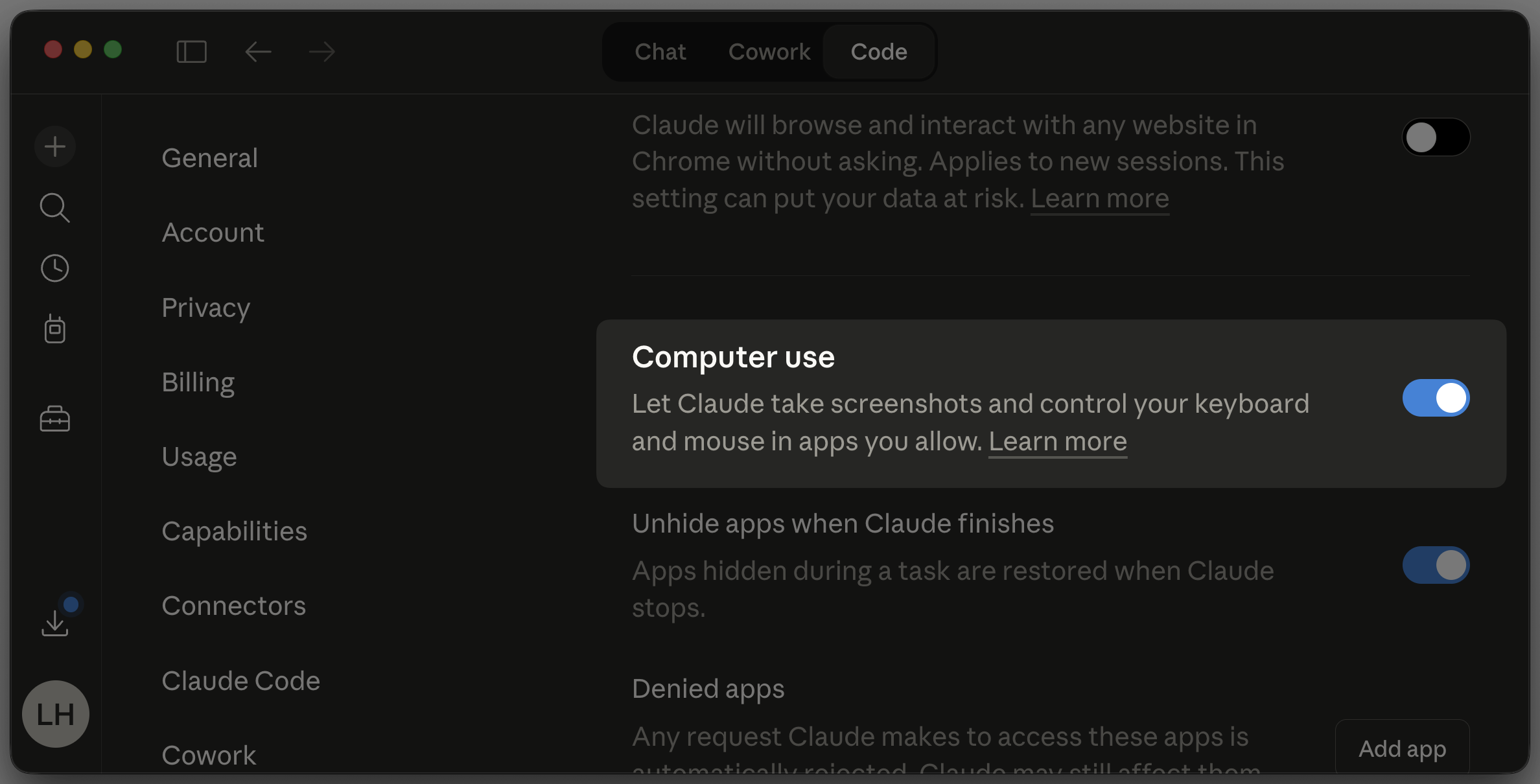
在 Settings 里启用它,授予操作系统权限,然后让 Claude 做一次端到端验证:
> Open the iOS simulator, tap through the onboarding flow, and screenshot each stepComputer use 怎么用
Computer use 只在 Claude Code Desktop app 里可用,而且默认关闭。
启用后还需要给操作系统授权,Claude 才能截图、控制键盘和鼠标;每一步动作前都会询问,适合需要直接看屏幕结果的 GUI 流程验证。
PR auto-fix
打开 PR 后切换这个开关就能离开了。Claude 会盯着 CI,修复失败项和审查意见,并持续推送直到变绿,不用再人工盯着 PR 反复跑 lint。
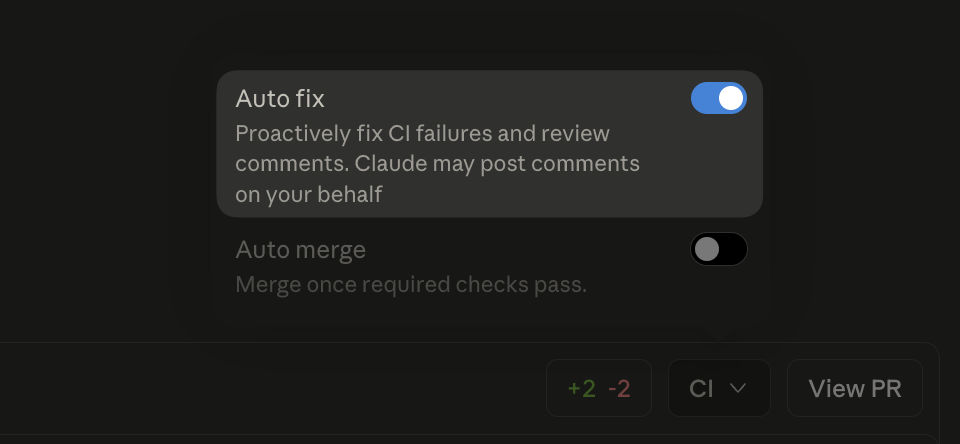
在 Claude Code web 创建 PR 后,到 CI 面板里打开 Auto fix:
PR auto-fix 怎么开启
这个功能在 Claude Code web 的 PR 流程里使用。
创建 PR 后,在 CI 面板切换 Auto fix,Claude 会自动跟进 CI 失败和 review comments,直到状态变绿。
Transcript search
在 transcript mode 里按 / 就能搜索对话,n 和 N 可以逐个跳转匹配项。终于能在几百条消息后找回 Claude 跑过的那条 Bash 命令。
打开 transcript mode 后直接搜索:
Ctrl+O    # open transcript
/migrate  # search for "migrate"
n         # next match
N # previous matchTranscript search 怎么找历史内容
先打开 transcript mode,再输入 /关键词 开始搜索。
n 跳到下一个匹配项,N 回到上一个匹配项,适合快速定位旧会话里的命令、输出和改动记录。
PowerShell tool
Windows 现在除了 Bash 之外,还能直接用原生 PowerShell tool。Claude 可以运行 cmdlet、传递对象流,并处理 Windows 原生路径,不需要再把一切都绕到 Git Bash。
在设置里选择启用:
{
  "env": {
    "CLAUDE_CODE_USE_POWERSHELL_TOOL": "1"
  }
}Windows 怎么启用 PowerShell tool
PowerShell tool 是 preview 功能,默认不启用。
在 .claude/settings.json 中设置环境变量 CLAUDE_CODE_USE_POWERSHELL_TOOL=1 后,Claude 就可以使用原生 PowerShell 执行 cmdlet、处理对象管道和 Windows 路径。
Conditional hooks
Hooks 现在可以用权限规则语法声明一个 if 字段。你的 pre-commit 检查只会在 Bash(git commit *) 时启动,而不会在每一次 bash 调用时都执行,能减少繁忙会话里的进程开销。
把 hook 限定到 git commit:
{
  "hooks": {
    "PreToolUse": [{
      "hooks": [{
        "if": "Bash(git commit *)",
        "type": "command",
        "command": ".claude/hooks/lint-staged.sh"
      }]
    }]
  }
}钩子怎么按条件触发
if 字段使用的是权限规则语法。
把 hook 绑定到 Bash(git commit *) 这类模式后,它只会在匹配的工具调用发生时执行,不会拦截所有 Bash 命令。
其他更新
Other wins
userConfig now public: prompt for settings at enable time, keychain-backed secrets\[Image #N] chips you can reference positionallymanaged-settings.d/ drop-in directory for layered policy fragmentsCwdChanged and FileChanged hook events for direnv-style setupsinitialPrompt in frontmatter to auto-submit a first turnCtrl+X Ctrl+E opens your external editor, matching readline/status now works while Claude is responding/clear after 75+ minutes away- Plugin 的
userConfig现在公开:启用时可提示配置,秘密信息可由 keychain 托管 - 粘贴的图片会插入
\[Image #N]芯片,之后可以按位置引用 - 新增
managed-settings.d/目录,用于分层加载 policy 片段 - 新增
CwdChanged和FileChanged钩子事件,适合direnv风格的环境切换 - agent 可以在 frontmatter 里声明
initialPrompt,自动提交第一轮 Ctrl+X Ctrl+E可以打开外部编辑器,行为与 readline 一致- 在 Claude 还没有输出任何回复之前中断,会自动恢复你的输入
Claude正在响应时,/status现在也能使用- deep link 会优先用你首选的终端打开,而不是第一个被检测到的终端
- 离开 75 分钟以上后,会提示你执行
/clear - VS Code 里增加了 rate limit banner 和按两次 Esc 回退选择器
Full changelog for v2.1.83–v2.1.85 →
常见问题
Claude Code 的 Auto mode 和 --dangerously-skip-permissions 有什么区别?
Auto mode 不是完全跳过权限,而是把权限提示交给分类器判断。安全的编辑和命令会继续执行,危险或可疑操作会被拦截并显示出来。
Windows 上怎么让 Claude Code 用原生 PowerShell?
在 .claude/settings.json 里把 CLAUDE_CODE_USE_POWERSHELL_TOOL 设为 1。启用后,Claude 可以直接运行 PowerShell cmdlet 和处理 Windows 原生路径。
transcript 里怎么快速找历史命令?
先打开 transcript mode,再输入 /关键词 搜索;用 n 跳到下一个匹配项,用 N 回到上一个匹配项。